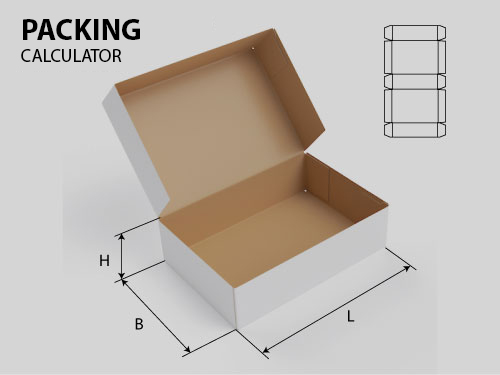
FEFCO calculator on the website: why is it needed and how is it different from ready-made online solutions
If a company sells corrugated boxes, sooner or later the customer asks the same question: "How much will a box made to my dimensions cost, and what will be the waste?" This usually takes the manager's time—opening Excel, manually calculating the flat pattern, and estimating the cut to fit the roll width. The FEFCO calculator solves this problem right on the website: the customer (or employee) enters the length, width, height, and construction type, and immediately receives a flat pattern, workpiece area, cutting and creasing length, and a recommended roll width with minimal waste.
What the calculator do
Can see here
It's based on standard FEFCO codes: from simple four-flap boxes (group 0200) to multi-part designs like telescopes and octagons (group 0300, where the box is assembled from several parts—body, lid, and bottom). For each shape, you can specify the corrugation profile (E/B/C/BC or a custom value), gluing flap, and cutting gap—either use the default values or enter your own directly on the page. The result is not only numbers but also an SVG drawing of the flat pattern, and for group 0300, a true reference drawing of the design. When pricing is enabled, the calculator immediately displays the blank cost based on the cardboard price per square meter.
Separate node – roll width selection: from a list of standard widths specified in the settings (e.g., 630, 700, 750, 850, 890, 1050 mm), the calculator selects the option with the smallest waste for a specific blank.
What's new: Flexible access via modules
In the first version, the "Roll Width" block was firmly embedded in the calculator page – all visitors saw it the same way. Now it's a separate Joomla module, and every Joomla module has a built-in "Access Level" field. This means you can display the roll width recommendation, say, only to registered wholesale customers or only to sales staff, while regular site visitors can simply see the size and cost calculation form. The second module goes even further: a trusted employee can edit the list of standard roll widths directly from the website, without accessing the admin panel—and this change is immediately picked up by both the calculator and the display module.
Is there anything similar on the market?
Similar calculators exist—and not just for Joomla.
FefcoBox (fefcobox.site) was a free web calculator: you enter the internal dimensions and FEFCO construction type, get a flat pattern, area, corrugator cut, final external dimension, and volume. Logically, it's very similar to our calculator, but it's a standalone third-party service—the link leads to someone else's domain, and you can't manage its settings. Unfortunately, it doesn't work, and that's what prompted me to create my own. Don't rely on others. Have your own—let it work.
EasyPackMaker (easypackmaker.com) — ready-made templates from the FEFCO catalog, also works directly in the browser, without installation.
PackTuning "Corrugated Box Calculator" — its closest competitor in terms of functionality: calculates box, sheet, and roll costs, printing, palletizing, and generates a process chart and PDF report. But this isn't a web tool, but a desktop program for Windows—it needs to be downloaded and installed on each manager's computer. The full version is available upon request and at a price; the demo version calculates with random size distortions.
Pro-Karton(calc-s.pro-karton.ru) is a catalog of calculators for specific FEFCO codes (0201, 0203, 0426, 0301, 0330, and others), but it's marked "for internal use only" on the website—meaning it's not intended for embedding on a client's public website.
There are also less similar tools—MIGAN-PAK, GofroStandart, Kor-Box: these are essentially price calculators for a specific vendor based on their price list, rather than a customizable tool that can be customized.
Some people don't need this, and some— Useful
If you need a one-time calculation of "how much one box costs" and don't want to keep the tool on your website, it's easier to use a ready-made free calculator like FefcoBox; there's no point in deploying an entire component just for that.
But for companies that already have a Joomla website and want a calculator on their own domain, with their own design and without links to someone else's service, this option offers something none of the listed alternatives offer: calculation parameters (gluing valve, cutting gap for corrugated profiles, list of roll widths) are configured directly in the admin panel or even from the frontend, and the display of individual blocks can be restricted by user groups—meaning public visitors, registered clients, and your employees can all see different sets of data on the same page.
How it works—a real-life example
Here's how it works internally—from the directories in the admin panel to what the user sees client on the site.
First, several levels of access:
- There's a director who owns the page and has access to everything. This includes a component, a sheet size module, a roll size module, and a pricing module.
- Next to the group is the employees. They see the calculator and the roll size module.
- And regular users, who can't see what the employees see, simply see the calculator.
Groups and components.
The calculator's core is a two-level directory. At the top are FEFCO groups (0200, 0300, 0400, and so on), each with a brief description of the shape and the number of components within:
Within each group are specific components (codes like 0501, 0601, 0900): each has its own code, title, formula status ("Done" / "Formula not implemented"), and group assignment.
The component card is essentially the calculation engine: it specifies the formula (in text, with reference to the designations L, W, H, d, GL, SE, and so on), the component type (standard or composite—telescope, octagon, slide sleeve), the JSON configuration for multi-part components, paths to reference drawings, and assembly notes:
Settings and Materials
On the component settings tab The default parameters are set: gluing valve, slot cutting gap (general and by corrugation profiles in JSON), list of roll widths and cost calculation switch. Here is also a new toggle, "Show 'Roll Width' directly on the calculator page," which is disabled by default because this block now displays a separate module:
Cardboard prices by grade (E/B/C/BC) are stored separately in "Materials and Prices" - from there, they can be edited by an authorized employee through the front-end module (see below).
The calculator itself
This is what it looks like for a website visitor: design selection, dimensions, material and tolerances, print run with cost, flat pattern drawing, and the final result - all on one page, updated live as you enter.
Modules with restricted access
Two front-end modules allow trusted users to edit data without logging into the admin panel - each is limited by their own Joomla Access Level.
Module "Prices for Materials:
The "Applicable Roll Width" module edits the same list of standard widths as in the component settings:
And the "Roll Width" module displays the recommendation (formerly item 7), now as a separate block with its own Access Level.