Every program you see here was originally built for myself.
I'm tired of choosing between heavyweight Windows and Parallels software, exorbitant license prices, and endlessly migrating projects from one application to the other. So, I've combined the best, most useful, and most convenient features into my own products.
I also write Joomla components from scratch—it's easier for me to create something well myself than to search for bugs in someone else's code. And as a bonus, I've integrated a unique hacker trap: it not only breaks bot logic but also guarantees that the hackers will receive your personalized "good health wishes."
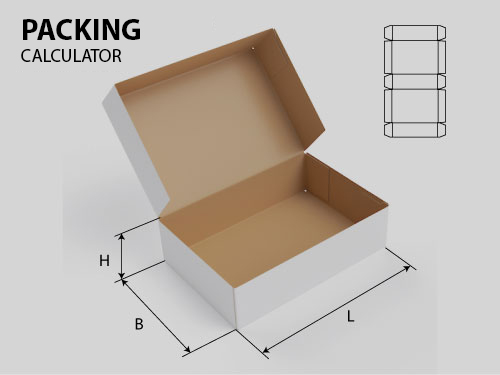
My corrugated cardboard calculators are also a response to a market need. Why overpay for heavyweight software for only 30% of the features you'll use? I've created a lightweight, accessible, and OS-independent solution for precise blank calculations. No overpayments.
If you have any ideas for improvements, I'm open to discussion and will offer a discount for a good idea.
Sincerely, Yaroslav

Photo Gallery (Product code: )

Price: 20.00 EUR
Available
Quantity:

com_foldergallery 1.4.1 (Joomla 4 / 5 / 6)

Gallery with tag filters. Tags = subfolders `images/gallery//`, images = jpg/jpeg/png/webp inside.
Filter buttons, animation, Lightbox (only visible images), responsive grid.

Installation and Update

Extensions → Installation → Download zip. The update is applied on top, and the data (tags, names, and order) is preserved.
Place images in `images/gallery//…` or upload them through the admin panel.

Admin Panel (Components → Folder Gallery)

# Tags
- Create — manual tag: folder name (letters, numbers, hyphens, underscores), button title, language names.
  The folder is created in `images/gallery`, and the tag is added to the end of the list. It will appear on the site when it has images.
-Button title: main (empty = folder name with capital letter) + separate for each site language
  (tag form → “Names by language”; fields are taken from the site’s content languages). Empty — the main title or folder name.
-Publish and button order — by dragging.
- The folder of an existing tag is not changed.

# Images
- Signature/alt, publication, order within a tag (by dragging), filter by tag.
- Upload — JPG/PNG/WEBP files in multiple files to an existing tag or to a new folder (a new tag is created).
- Delete — deletes selected images from the server and from the database (with confirmation; requires the "Delete" permission).
- Synchronize — new folders/files are added, those deleted from the disk are removed; The names, order, and status of existing ones remain unchanged.
Empty folders remain tags (to prevent manually created tags from disappearing).
Auto-sync is enabled in the settings (in the admin panel and/or on the website).

Settings

  • Path to the gallery folder (by default, `images/gallery`).
  • Auto-sync in the admin panel and on the website.
  • Columns on desktop: 2–8 or 10 (3 by default). On tablets, no more than 4.
  •  Columns on a phone: 1–3 (default 1; 2–3 for small thumbnails).
  •  Access rights.

Website

Menu → New item → "Gallery from folders" → Gallery. Menu item parameters:

  • Columns on desktop and phone ("Use global setting" takes values ​​from the component settings);
  • Thumbnail aspect ratio, Lightbox, "Show all" button text;
  • Button classes (by default, `btn btn-dark` / `btn btn-primary` — template styles, for example, Helix Ultimate).

The gallery page has its own side padding and a maximum width of 1400 px (independent of the template).
For other pages, padding is set in the template CSS (Helix Ultimate → Custom Code → Custom CSS).

Languages

Admin and site: en-GB, ru-RU, uk-UA, sv-SE, es-ES.

Security

Upload and deletion: token and permissions check, extension + real image type check, name sanitization,
protection against exceeding gallery folder boundaries.

Copyright MAXXmarketing GmbH
JoomShopping Download & Support

About us

bottom logo en

I'm a designer. Here you can see my work. Yes, I do my job.

The main rule - you will never see the unfinished work. Only thoroughly polished projects can produce in life.

Packing calculator

Select your language

Select your language

Cookies user preferences
We use cookies to ensure you to get the best experience on our website. If you decline the use of cookies, this website may not function as expected.
Accept all
Decline all
Read more
Analytics
Tools used to analyze the data to measure the effectiveness of a website and to understand how it works.
Google Analytics
Accept
Decline
Advertisement
If you accept, the ads on the page will be adapted to your preferences.
Google Ad
Accept
Decline
Save